
A customer is ready to pay, and then they hit a login wall, a long form or a checkout that will not load on their phone. The sale quietly disappears. Payment links exist to remove that moment of friction.
A payment link is a URL, button or QR code that takes a customer straight to a hosted checkout page, with no website or shopping cart required. At Remit Anywhere, we build remittance software for money transfer businesses, so we spend a lot of time thinking about how customers pay safely and how those payments are documented.
Key takeaways:
- A payment link is a URL, button or QR code that takes a customer straight to a hosted checkout page. No website or shopping cart is required.
- Links come in three core types (single-use, reusable and recurring), plus an option that lets the customer choose the amount.
- A secure payment link opens on the provider’s hosted page, uses HTTPS and is shared only through channels your customers trust.
- For money transfer businesses, the link comes after the required disclosures, a locked exchange rate and customer checks. Many processors also require approval first.
Why Checkout Friction Costs Sales?
Checkout friction is a real cost. In research from Baymard Institute, 18% of shoppers abandoned an order because the site forced them to create an account. Another 17% left because the checkout felt too long or complicated.
Payment Link Meaning and Common Formats:
A payment link, also called a checkout link or purchase link, is a clickable URL or scannable code that lets a customer complete a purchase. It can appear as a plain link, a buy button on a website or a QR code on a flyer or screen. When the customer opens it, they land on a checkout page hosted by the payment provider and pay there.
You may also hear it called online payment links, a linked payment or a link payment system. They all describe the same idea: a shareable address that leads directly to a payment page.
How a Payment Link Works?
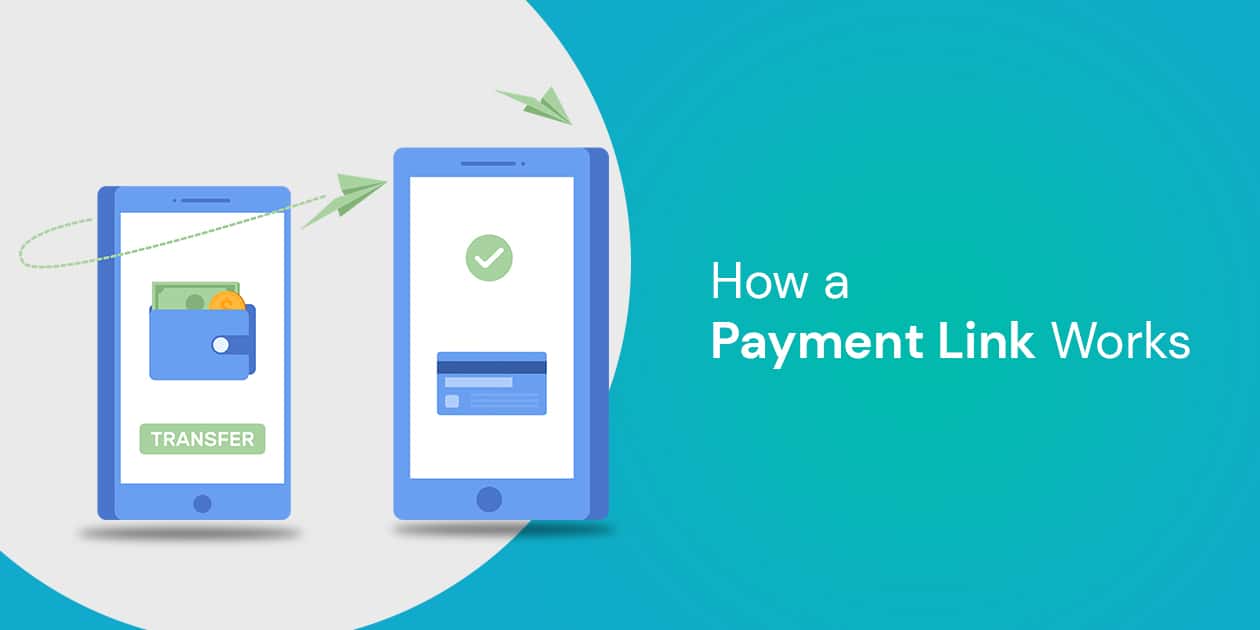
Most payment links follow the same four steps:
- Create the link. In your payment provider’s dashboard, enter what you are selling, the amount and the currency.
- Share the link. Send it by email, text message, messaging app or social media, or print it as a QR code.
- The customer pays. They open the link, choose a payment method such as a card or digital wallet, and confirm on a secure page the provider hosts.
- The provider processes the payment. The transaction runs through the standard payment network, and the funds arrive in your account like any other online payment.
Because the provider hosts the page, you do not build or maintain checkout infrastructure yourself.
Types of Payment Links:
The right type depends on what you sell and how often.
| Type | How it works | Best for |
| Single-use | Works for one transaction, then expires | Custom quotes and one-off invoices |
| Reusable | Stays active for many payments at a fixed price | Products or services you sell repeatedly |
| Recurring | Authorizes regular charges | Memberships, subscriptions and installment plans |
| Customer-chosen amount (option) | The payer enters the amount | Donations and tips |
Who Uses Payment Links and Why?
Payment links suit any business that needs to get paid online without a full ecommerce build. Freelancers, coaches and small shops can start accepting payments without building a store, and consultants, cleaners and instructors can send a link after each session or project. Links work well in email, SMS and social media, where the customer is already in the conversation, and they suit fast-moving sales such as limited drops, where the buyer can pay the moment they see the offer. Charities use a donation link or QR code to make giving a one-step action. At an in-person sale, a QR code also lets a customer pay from their own phone without a card reader.
Creating an Online Payment Link
The exact screens differ by provider, but the process is consistent:
- Log in to your provider’s dashboard and open the payment links section.
- Add the product or service, the price and the currency, or let the customer enter an amount.
- Add your logo, business name and a short description so customers recognize you.
- Choose the payment methods you want to accept.
- Create the link and test it before you share it.
- Share it through the channel your customer already uses.
Sharing and Tracking:
Share the link wherever your customers already are. Then track its performance in your provider’s dashboard: how many people opened it, how many paid and which payments failed. That data shows you which channel and message convert best.
Benefits of Payment Links for Customers and Businesses
For customers, a payment link means fewer steps. One click or scan opens the payment page, with no account to create and no cart to fill, and the hosted page loads on a phone, tablet or computer. For businesses, setup is fast, because you can create a link in minutes without code. The same link works in email, SMS, chat and print, and quotes, deposits and project fees do not need a product catalog. Your dashboard shows which links are paid, pending or failed.
Limits to Know Before You Start:
Payment links are simple by design, and that simplicity has trade-offs. Branding and checkout customization are usually more limited than on a custom checkout, and links do not connect to inventory management or a full product catalog. A link that anyone can open can also be forwarded, so use single-use links for specific customers.
Payment Link Fees:
Fees differ by provider and change over time, so check your provider’s current pricing page before you decide. Compare the whole cost, not only the headline rate. Most providers charge a processing fee on each successful payment, usually a percentage plus a fixed amount. Currency conversion, refunds, disputes and chargebacks often carry their own fees, as do add-on products such as recurring billing or tax tools, and some providers charge payout fees or set minimums when funds move to your bank account. Ask each provider for a written fee schedule that covers your currencies and payment methods.
Payment Link vs. Invoice vs. Payment Form:
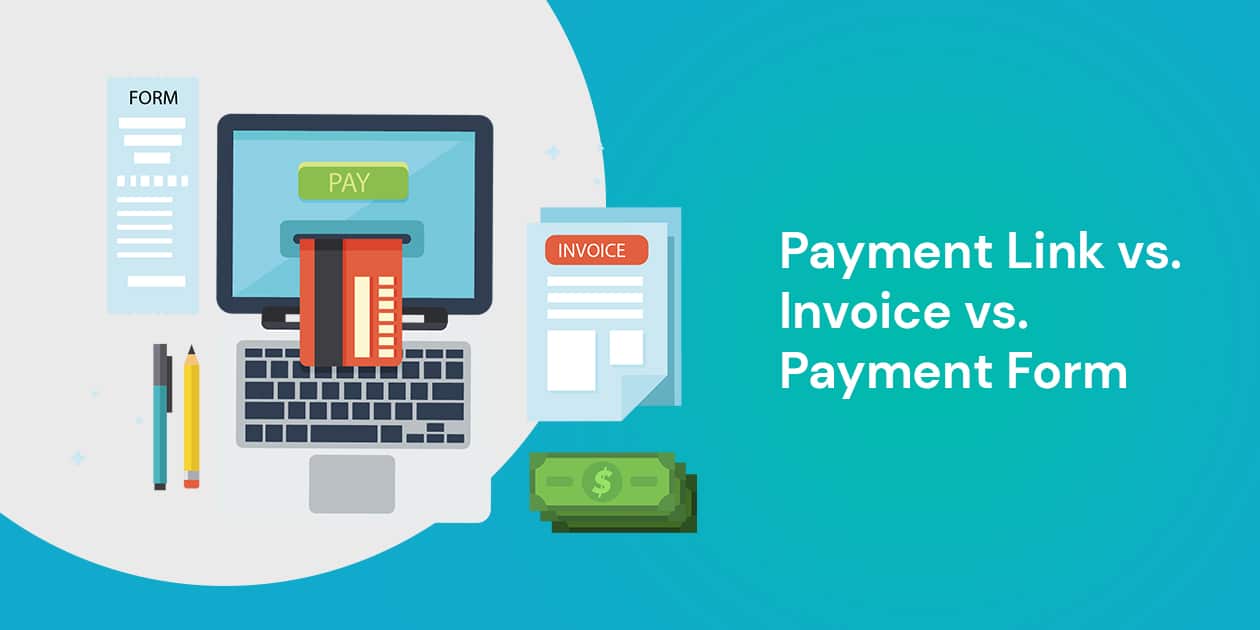
These three tools overlap, but each fits a different job.
| Comparison | Payment link | Invoice | Payment form |
| Who can pay | Anyone with the link | A specific customer | Visitors on your website |
| Format | URL, button or QR code | Formal document with line items and terms | Checkout embedded in your site |
| Setup | No code, hosted by the provider | Created in an invoicing tool | Integrated into your website |
| Best for | Quick sales, donations, ad-hoc payments | Billing with payment terms | Full ecommerce and recurring billing |
A payment link can also sit inside an invoice, and the receipt that follows payment closes the record for both sides.
How to Keep Payment Links Secure for Customers?
A genuine payment link from a reputable provider is secure because the customer enters card details on the provider’s own hosted page, protected by encryption. The risk is fake links, which criminals use in phishing messages that imitate real businesses. The FTC explains how to recognize phishing and verify a request before acting on it.
To protect your customers, follow these practices:
- Use a provider that hosts the checkout page over HTTPS and meets card industry security standards such as PCI DSS.
- Send links only from channels your customers recognize, and tell them in advance how you will contact them.
- Include a clear description, amount and your business name so customers can confirm what they are paying for.
- Use single-use or expiring links for individual invoices.
- Never ask customers to pay through a link in an unexpected message, and train your staff to do the same.
- Review regularly who on your team can create links.
Customers should also check the web address before paying and avoid links from senders they do not recognize.
How to Choose a Payment Link Provider?
The longest feature list is not always the best fit. Compare providers against your real needs.
| What to check | Why it matters |
| Business type eligibility | Some providers restrict or require approval for money transfer and other financial services businesses |
| Payment methods | Cards, digital wallets and the local methods your customers prefer, such as iDEAL, BLIK or PIX, affect whether they can finish paying |
| Security | Look for PCI DSS compliance, encryption and support for 3D Secure authentication |
| Integrations | Links should feed your accounting or CRM tools so you can reconcile without retyping data |
| Total cost | Compare transaction fees, currency conversion fees and any platform fees, not only the headline rate |
| Ease of use | Your finance or sales team should be able to create links without developer help |
| Support | You need fast answers when a payment fails |
| Scalability | Check volume limits, currency coverage and role-based access as you grow |
Payment Links in Money Transfer and Cross-Border Payments
For a money transfer business, a payment link raises a question that a typical online shop does not face: the payment is the start of a regulated transaction. We build remittance software for licensed money transfer businesses, so we treat the link as one step in a longer flow. The steps below show where it fits.
Show the Disclosures Before the Link Opens:
In the United States, the Remittance Transfer Rule (Subpart B of Regulation E) requires a provider of covered transfers to give the sender a pre-payment disclosure before payment. That disclosure lists the amount to be transferred, fees and taxes, the exchange rate and the total the recipient will get. A provider can instead give one combined disclosure before payment that holds all the receipt information, as long as it also gives proof of payment.
In a link flow, this means the link should open on the disclosure first, not on a card form. Whether a specific transfer is covered depends on the rule’s definitions, so confirm the details with your compliance counsel.
Lock the Exchange Rate Quote:
The disclosure must show the exchange rate the provider actually uses for the transfer. The rule allows an estimated rate only in limited circumstances. So the link should carry a quote that stays locked until it expires, with the rate, fees and total shown on the page.
If the quote expires, issue a new link with a fresh disclosure. Do not let the sender pay at a different rate than the one they saw.
Run KYC and AML Checks Before Funding:
A money services business must keep a written, risk-based anti-money laundering program under the AML program rule. The program must include procedures for verifying customer identification, filing reports and keeping records, to the extent they apply to the business. These checks sit inside the wider practice of AML compliance.
Order matters. Verify the sender and screen the transfer first, then release the link that takes payment. A single-use link tied to one verified sender and one transfer keeps the flow tight.
Get Processor Approval First:
Many card processors treat money transmission as a restricted category. Stripe, for example, lists money transmitters and other money services businesses among the businesses that need its prior written approval. Providers may also ask for licenses and supporting documents as part of that review.
Ask any provider whether your business type is allowed before you build a flow around its links.
Send the Receipt After Payment:
When the sender pays, the provider must give a receipt. Per the CFPB, the exchange rate, fee and tax figures on that receipt match the pre-payment disclosure. The receipt also states when the funds will be available and the recipient’s name. It covers the sender’s cancellation and error-resolution rights, and gives regulator contact details: the state regulator where it applies, and the CFPB.
Senders generally have up to 30 minutes after paying to cancel the transfer, as long as the recipient has not yet received the money.
A Sender Funding a Transfer Through a Link:
A sender passes identity checks and screening. The provider issues a single-use link tied to that one transfer. The link opens on the disclosure: the transfer amount, fees, exchange rate and the total the recipient will get, with the quote locked for a short window.
The sender pays and receives a receipt with the same figures, plus the date the funds will be available and the cancellation rights. If the sender changes their mind within 30 minutes, they can cancel. The link was only the payment step. The disclosure, the locked quote, the checks and the receipt made the flow compliant.
Examples of Payment Links in Practice
These examples are illustrative scenarios, not customer case studies.
A Consultant Billing After a Session:
A business consultant finishes a workshop and emails a single-use payment link for the agreed fee. The client opens it, pays by card and receives a confirmation. With the link set to expire after payment, it cannot be reused or forwarded for a second charge.
A Charity Collecting Donations:
A local charity prints a QR code on its flyers that opens a customer-chosen amount page. A donor scans it, enters an amount and gives from their own phone. The charity never needed a donation website.
Best Practices for Using Payment Links
- Brand the page. Show your logo and business name so customers recognize you.
- Test before sending. Open the link on a phone and a computer and complete a test payment.
- Explain what is being paid for. Include a description, the total with taxes and fees, and your refund policy.
- Match the link type to the job. Use single-use links for invoices and reusable links for fixed-price offers.
- Connect payments to your records. Link your provider to your accounting software so reconciliation is automatic.
- Track results. Watch completion rates and failed payments, and adjust the channel or message.
- Send a receipt. Confirm every payment with a proper receipt so both sides hold a clear record.
Frequently Asked Questions
1. What is a payment link?
A payment link is a URL, button or QR code that takes a customer directly to a hosted checkout page. You create it in your payment provider’s dashboard, share it through any channel, and the customer pays on a secure page without needing your website.
2. Are payment links safe?
Genuine payment links from reputable providers are safe because customers enter card details on the provider’s hosted, encrypted page. The risk comes from fake links used in phishing. Customers should check the web address and avoid links from unknown senders.
3. How do I create a payment link?
Open your payment provider’s dashboard, go to the payment links section, add the product or amount, brand the page, choose payment methods and create the link. Test it, then share it by email, text, social media or QR code.
4. How do I send a payment link to a customer?
Copy the link from your dashboard and paste it into email, SMS, a messaging app or social media. You can also turn it into a QR code or embed it as a buy button on a website.
5. Is a payment link the same as an invoice?
No. An invoice is a formal document sent to a specific customer, with line items and payment terms. A payment link is a shareable checkout address that anyone with the link can use. You can include a payment link in an invoice.
6. What is the difference between a QR code and a payment link?
A QR code is a scannable image that opens the payment page, while a payment link is a clickable URL you share by text, email or message. Both lead to the same checkout page, so the choice depends on where your customer sees it.
7. How do I receive money from a payment link?
When the customer pays, your provider processes the payment through the standard payment network and sends the funds to your account. Timing depends on your provider, your account settings and your payout schedule, and some providers apply minimums or payout fees. Check the payout schedule before you launch.
8. Can payment links handle recurring payments?
Yes. Many providers let you create a recurring link for subscriptions, memberships or installment plans. The customer authorizes regular charges once, and the provider bills them on the schedule you set. Check your provider’s documentation for the billing intervals, failed-payment retries and cancellation options it supports.
9. Can a money transfer business use payment links?
Yes, but the link must sit inside a compliant remittance flow, with the required disclosures, a locked exchange rate, AML checks before funding and a receipt. Some processors also restrict money transmitters or require prior approval, so ask each provider whether your business type is allowed before you build around its links. Confirm requirements with your compliance counsel.
Conclusion
A payment link turns a payment request into a single step: create it, share it and get paid. Choose the right link type for the job, use a provider that hosts a secure checkout page, send links only through trusted channels, and always confirm payment with a receipt. For money transfer businesses, add one more rule: the link must never bypass the disclosures, the locked rate, the customer checks and the receipt that regulators expect.
Build Compliant Payment Flows With Remit Anywhere
Remit Anywhere keeps payment steps, disclosures, receipts and reporting working together in one system. Book a demo to see how payment links fit your transfer flow.